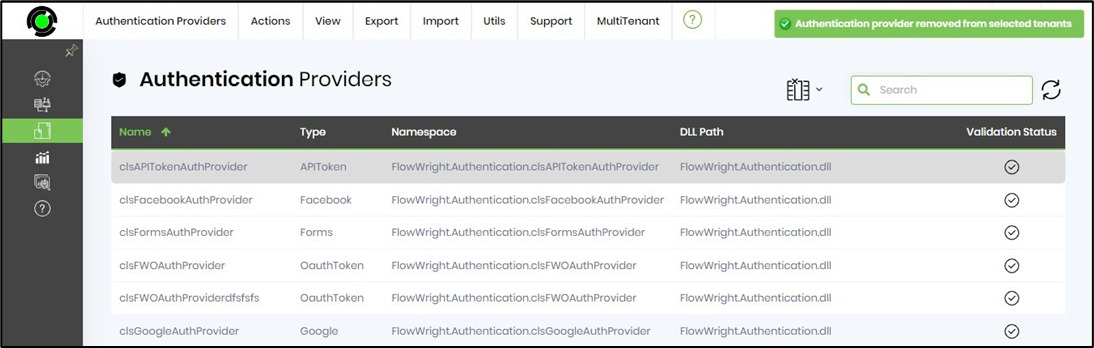
The MultiTenant function in the Tenant Manager environment helps manage authentication providers across tenants.
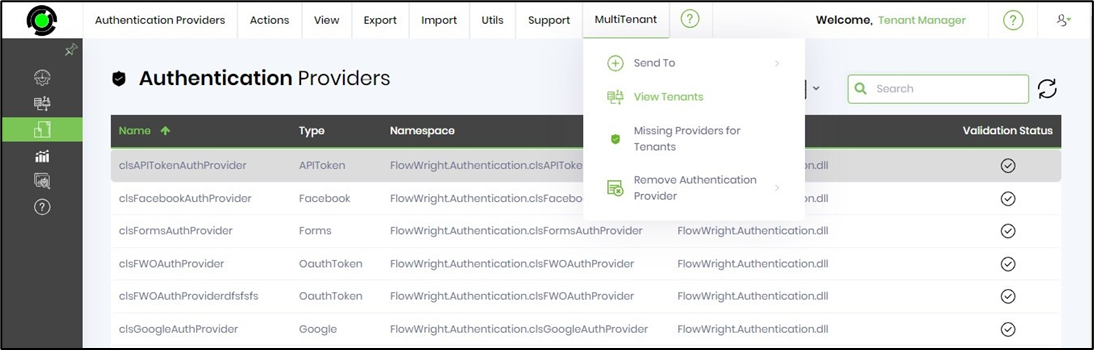
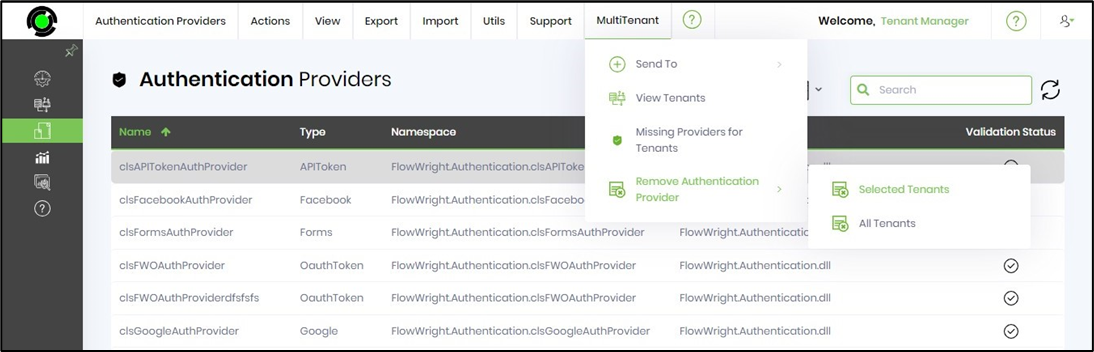
On the Authentication Providers page, click the MultiTenant menu option to view the functions below. Here, selected authentication providers can be sent to specific or all tenants. View the tenants that have this authentication provider, check for any authentication providers missing across tenants, and remove authentication providers from specific or all tenants.
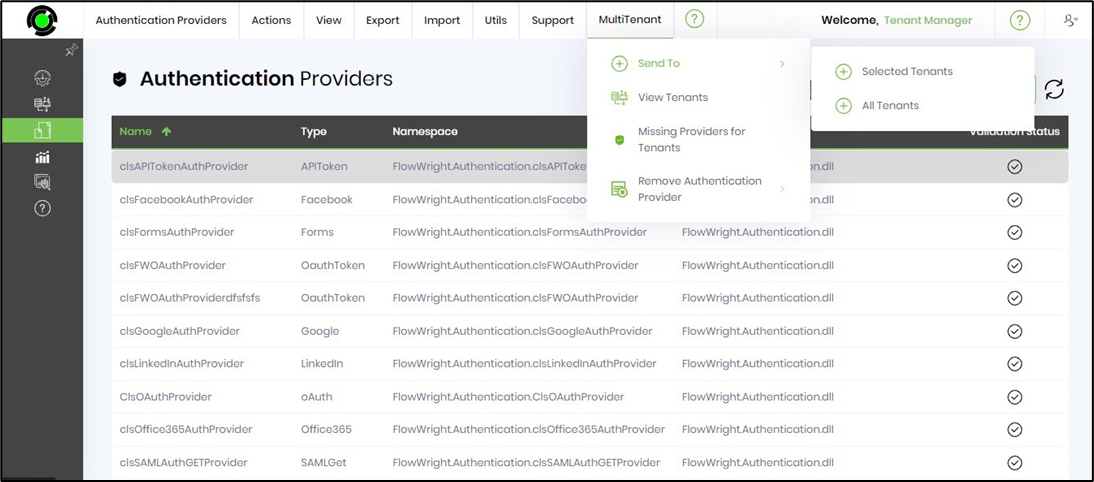
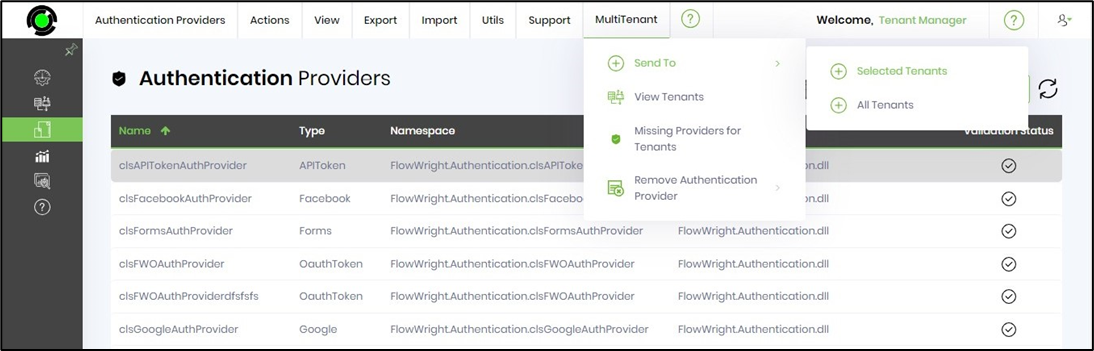
Send To - Selected / All Tenants.
Select the Auth provider from the table, then click the “MultiTenant > Send To > Selected Tenants” menu option. Note: Select All Tenants when needed.
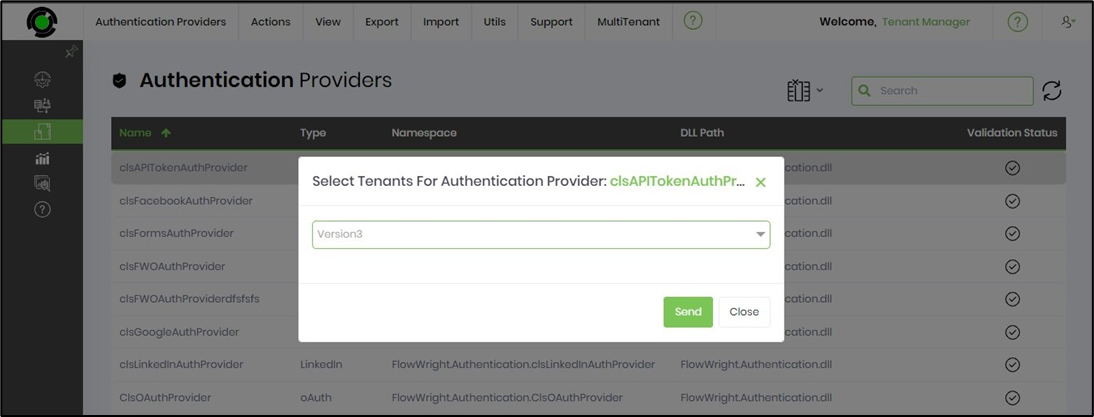
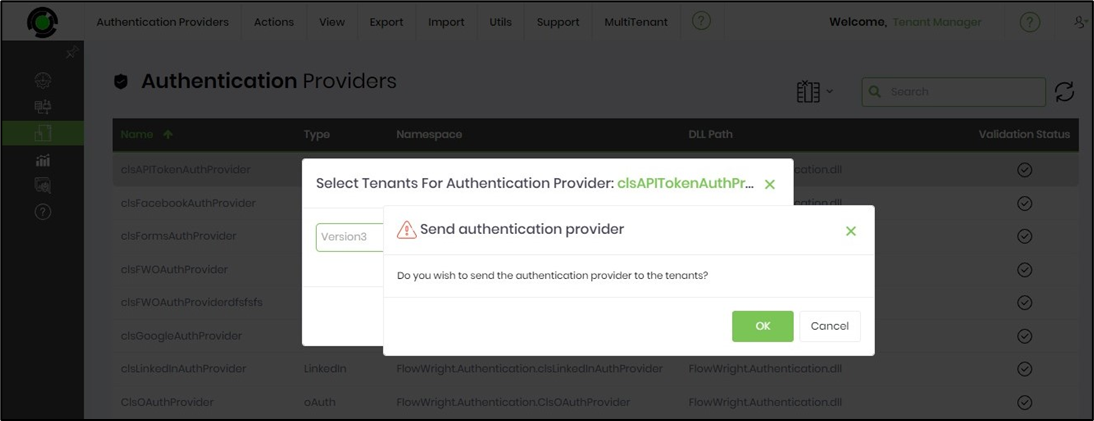
Select the Tenant from the drop-down list, then click the “Send” button to initiate the transfer.
Click the OK button to confirm.
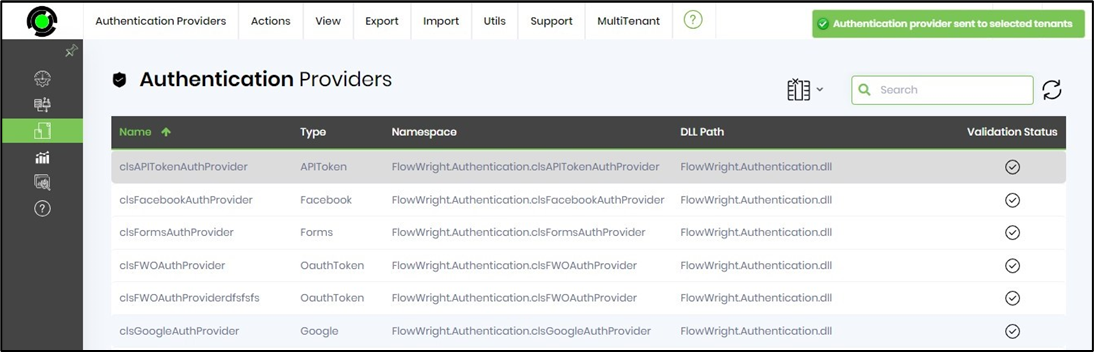
The authentication provider is copied to the target Tenant environment, and a confirmation message appears in the top-right corner. Note: This auth provider requires manual configuration via the “Utils > Auto Detect” function in the target Tenant environment.
View Tenants.
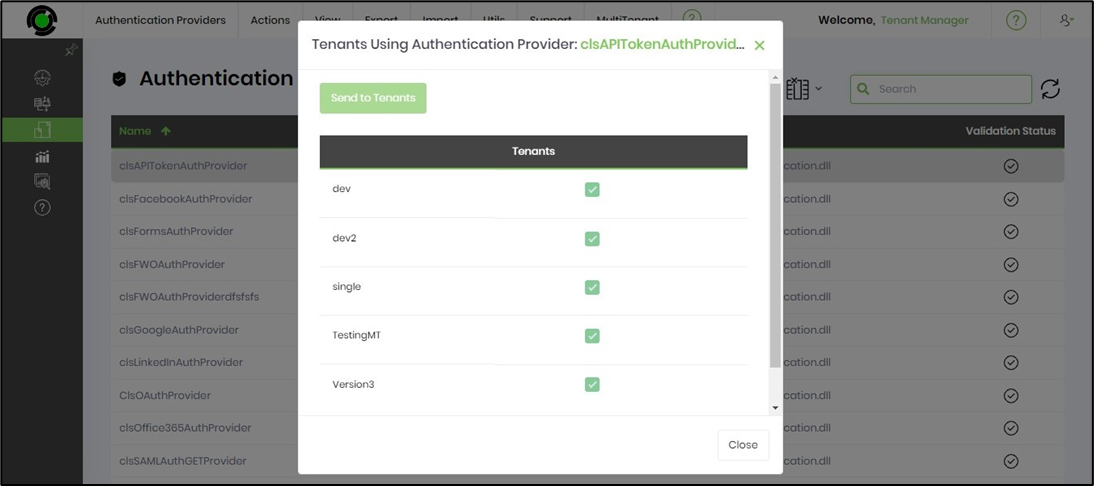
Select the Auth provider from the table, then click the “MultiTenant > View Tenants” menu option.
The pop-up window lists the tenants using this auth provider for reference.
Missing Authentication Providers for Tenants.
Select the Auth provider from the table, then click the “MultiTenant > View Tenants” menu option.
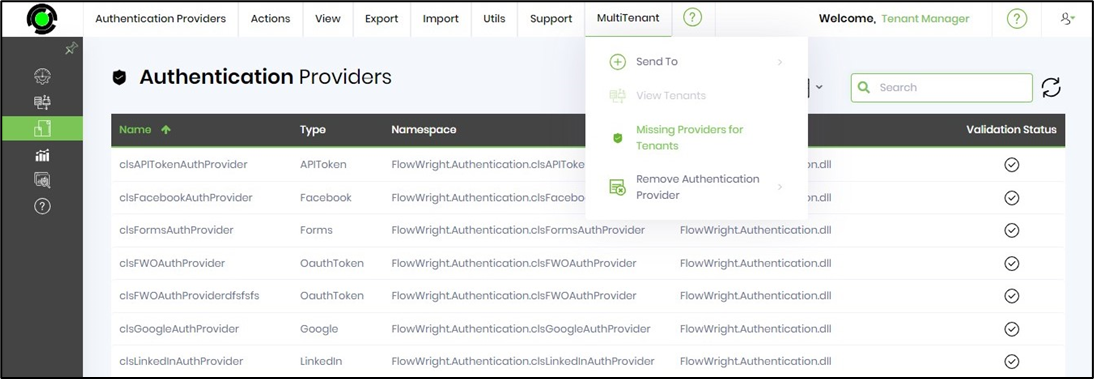
The pop-up window lists the tenants using this Auth provider for reference.
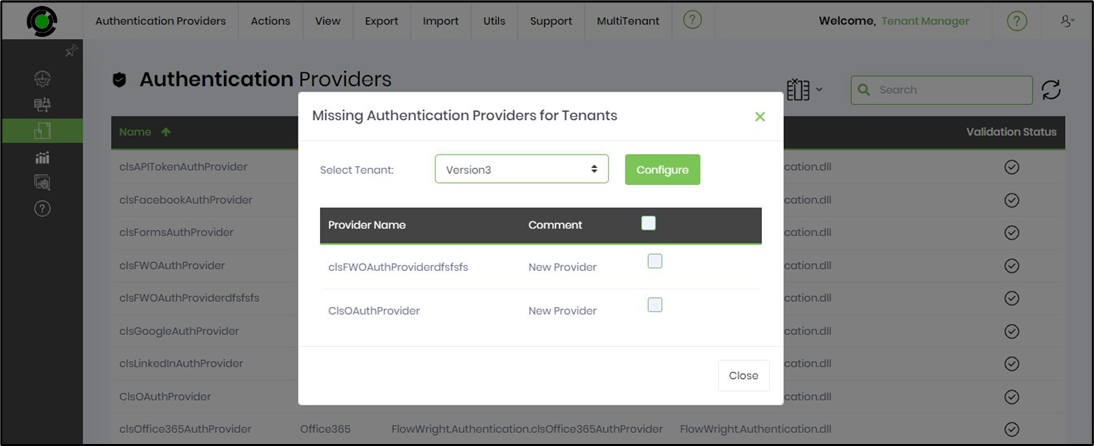
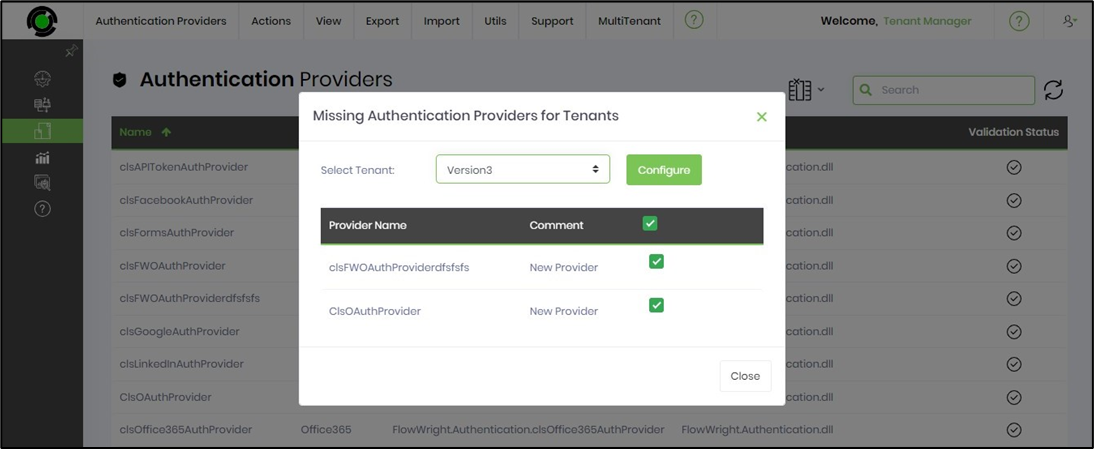
Select the Auth providers using their checkboxes, then click the “Configure” button.
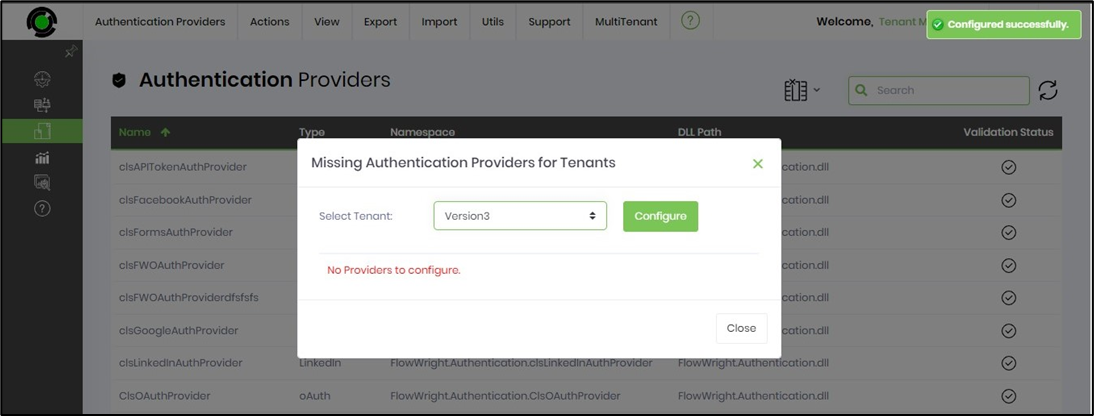
The Auth providers are configured in the target Tenant environment, and a confirmation message appears in the top-right corner.
Remove Auth Provider - Selected / All Tenants.
Select the Auth provider from the table, then click the "MultiTenant > Remove Authentication Provider > Selected Tenant" menu option. Note: Select the All Tenants menu option when necessary.
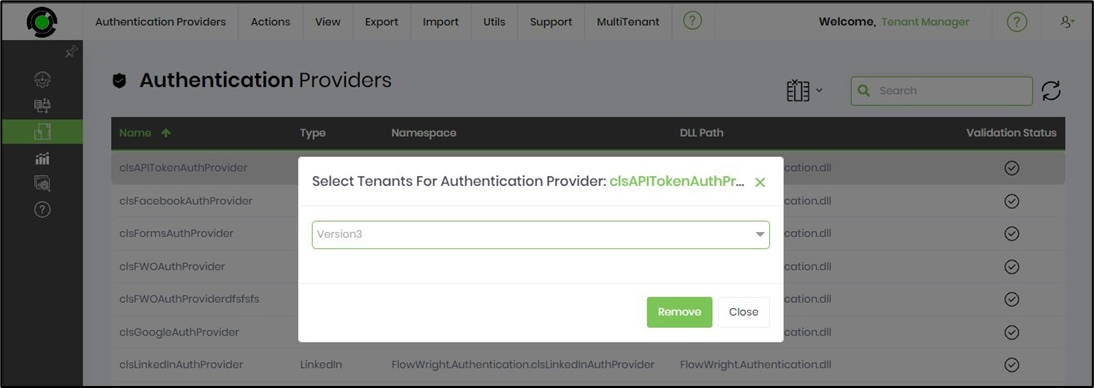
Select the tenant from the drop-down list in the pop-up window, then click “Remove” to delete it.
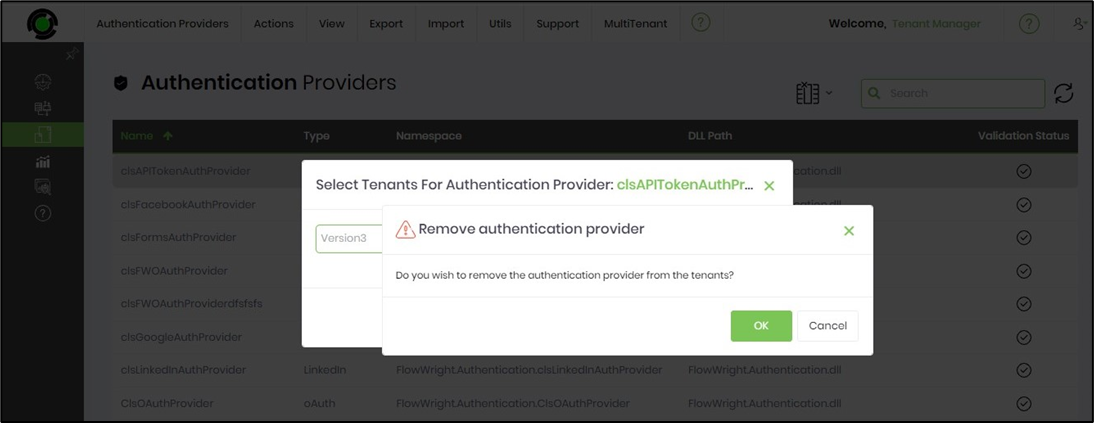
Select the OK button to confirm.
The Auth provider is removed from the selected tenant, and a confirmation message appears in the top-right corner.