As our team works with business analysts around the world, we find that some are new to workflow and to the achievable concepts within it. If that is the case, we wanted to share some insight into introducing the basic concepts of workflow task routing. We hope you find these helpful!
A Task is an item routed to a single user or a # of users to complete. Within FlowWright, a Task offers many options for users to choose from when building out a process:
- Route to user(s)
- Route to a role
- Wait for all to respond, or have one person respond among multiple people
- Set an expiration
- Set a priority
- Send an email notification about the task
- Send an acknowledgment link within the email
- Provide custom names for the approval/rejection buttons
- Hide the reject button
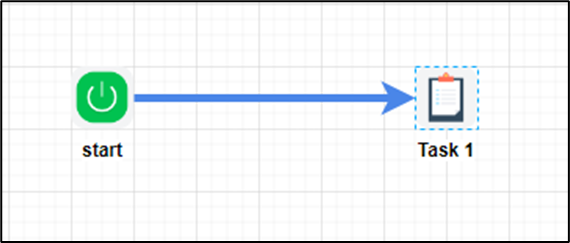
As you can see, the task can be configured with many options. Here's an example of a simple task: the workflow starts and routes the task to the user.
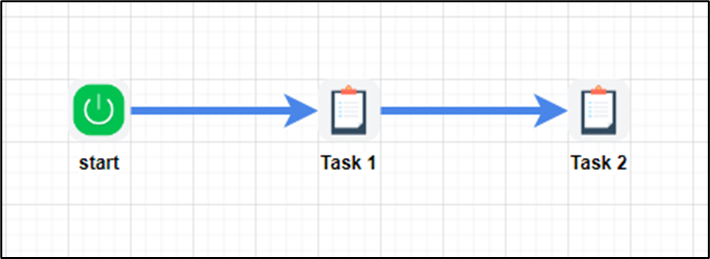
Serial tasks: These are connected in sequence, where each task starts after the previous one is completed.
Parallel tasks: A group of tasks that start at the same time but may be completed at different times.
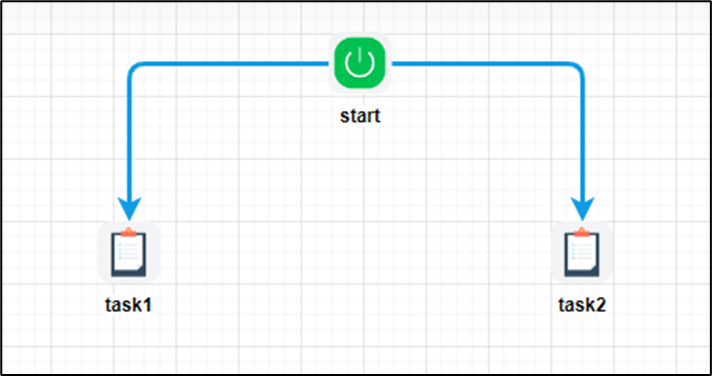
In the example above, tasks 1 and 2 will start simultaneously and wait for the assigned users to complete them.
Parallel tasks with synchronization: Let's say you want to run task 3, but start it only after tasks 1 and 2 are completed.
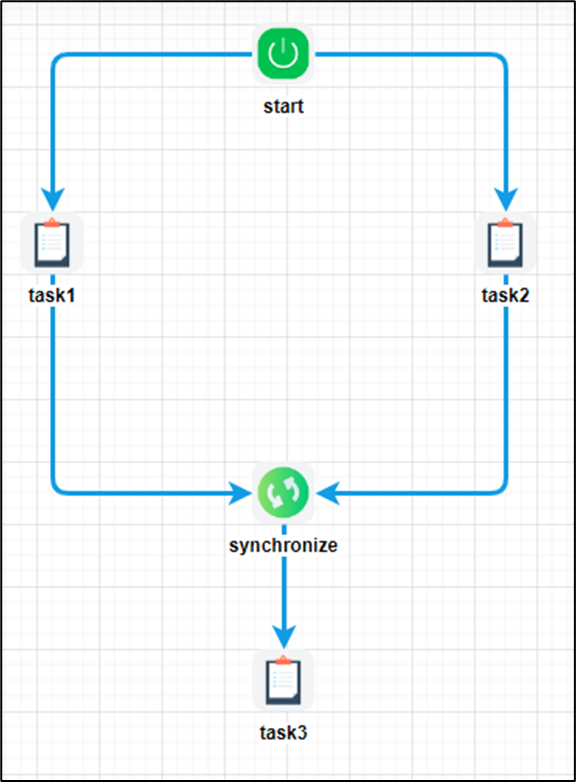
As shown above, the synchronization step is used before task3. The synchronization step waits until task1 and task2 are completed before moving on to task3. These are the three main concepts to keep in mind when working with workflow tasks. Using just these three concepts, you can automate manual processes, from simple to complex, into automated digital processes. If you have questions about creating or assigning tasks, our support team would be happy to help.