processInstanceAuditReport Step
Description:
This step generates the Process Instance Audit Report.
Inputs
- instanceID - Enter process instance ID
- pdfPhysicalPath - Variable / Global to store the output physical file path
- pdfVirtualPath - Variable / Global to store the output virtual file path
Returns
- True – step executed successfully
- False – step failed to execute
Usage:
Example:
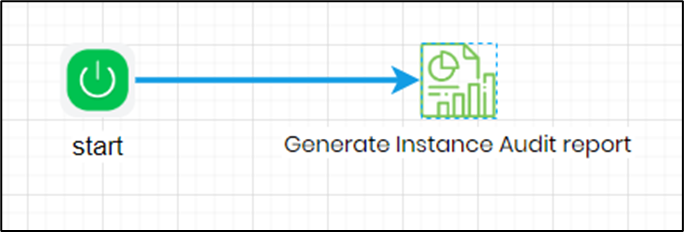
Let’s build and execute the “processInstanceAuditReportDef” example.
- Create a new process definition named “processInstanceAuditReportDef” and open it in designer mode.
- Drag a “processInstanceAuditReport” step to the canvas.
- Connect the dots between the “Start” step and “processInstanceAuditReport” steps, as shown above.
- Define a variable or a global to store the output file path.
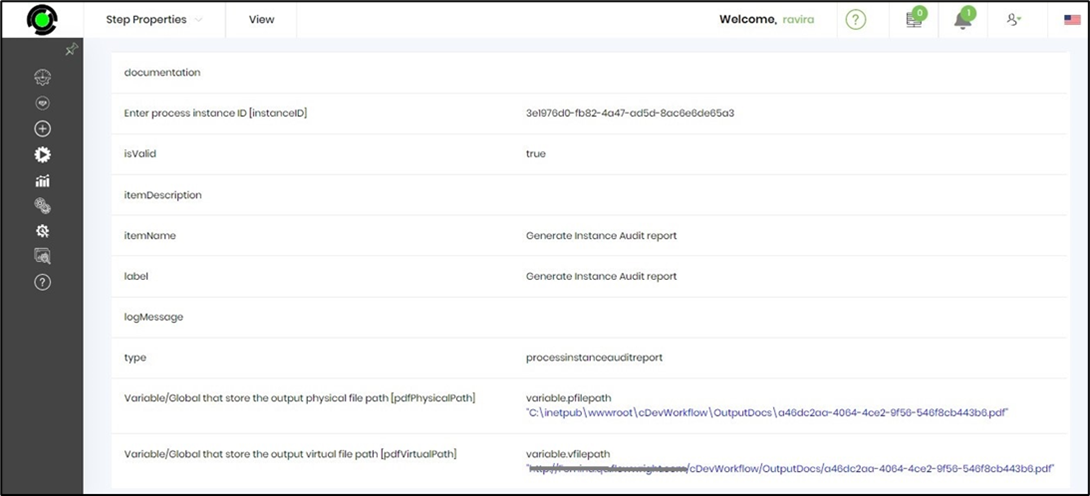
- Click the “processInstanceAuditReport” step to configure its “Required” properties. Provide a name for the step and the process instance GUID. The process instance page displays the GUID for all existing items, which can be copied and pasted into the input field. Provide a variable or global reference to store the physical and virtual output paths. Click the Save button. Note: Click the "AI Predict" button for the Copilot to add new process steps that match your process description.

- The “Logging” configuration is necessary for documentation and also measures workflow progress and percent complete. This is achieved by configuring the step state and percent fields individually, as shown in the images below. Configure the “Logging” using the following properties.

- Save the process definition, create a process instance, and execute it. The Step should generate a process instance audit report for the selected instance ID. Render the process instance and verify the step properties.
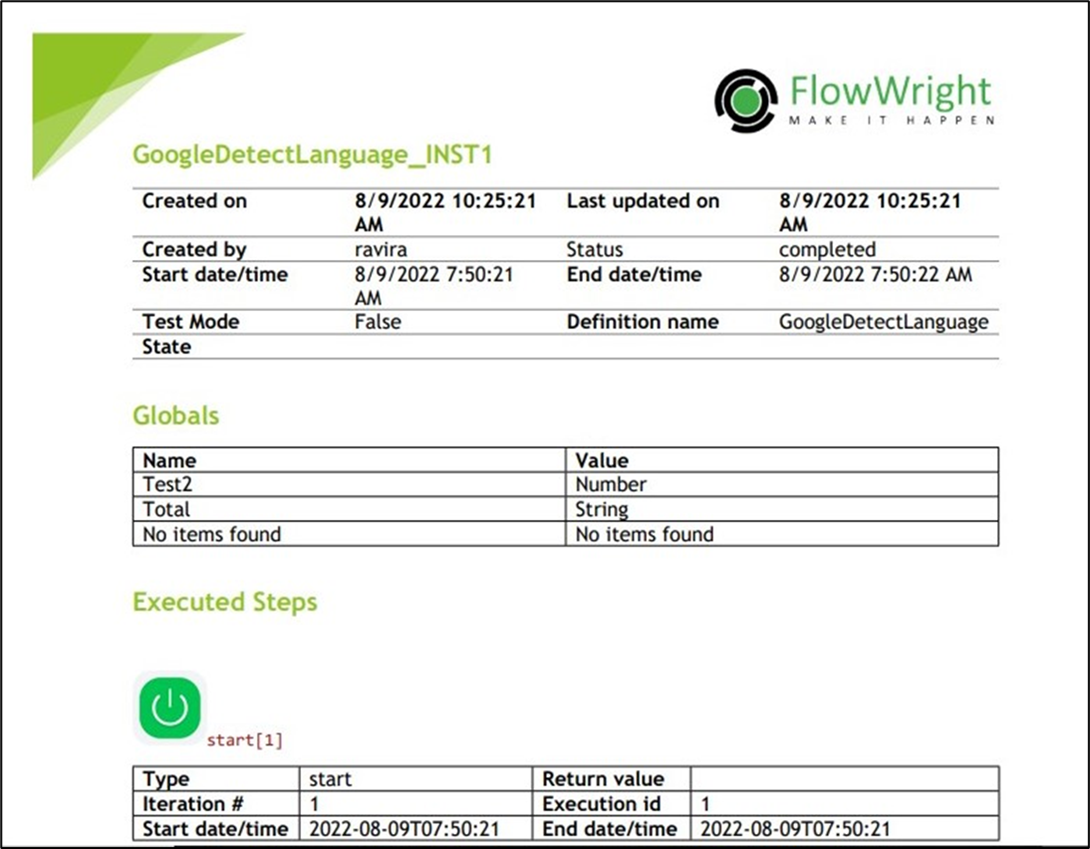
- Use the “variable.virtualfilepath” to download the PDF audit report. The content sample is shown below.
Definition Sample:
You may download the sample definition(s) from the link provided and later import them (drag-and-drop) into your FlowWright Process Definition (XML file) or Form Definition (HTML file) page.
Note: Please verify and complete the process steps for any missing configurations, such as file path references and database connections, after the import. Then, save the definition to confirm the changes.