Twilio is a widely used SMS/text service for sending messages to mobile phones worldwide. For several versions now, FlowWright has supported a step that sends SMS messages to mobile phones. It's very easy to set up and use, and we show you how to get started below!

Once you sign up for a Twilio SMS subscription, you will receive the following information from Twilio:
- Account SID
- Auth Token
- Registered phone number
Once you have this information from Twilio, you can configure it in the Status->Config Settings UI as shown below:
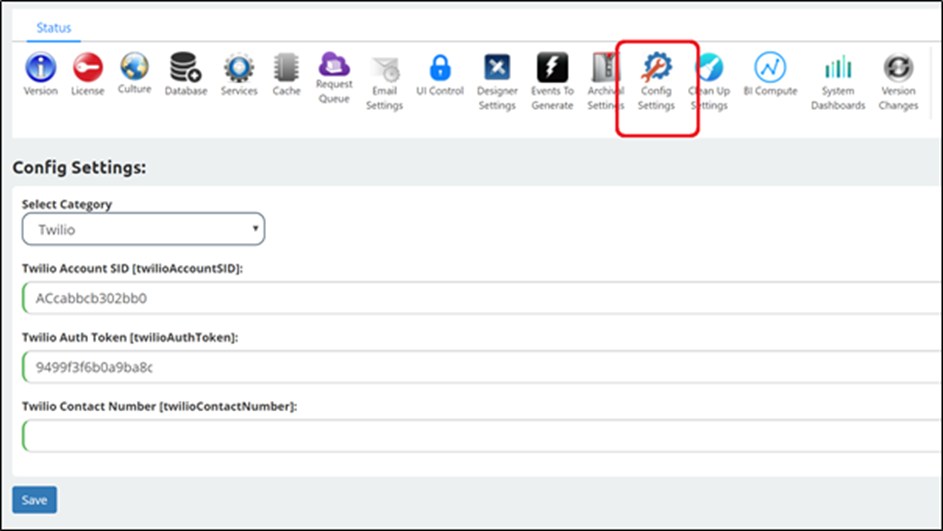
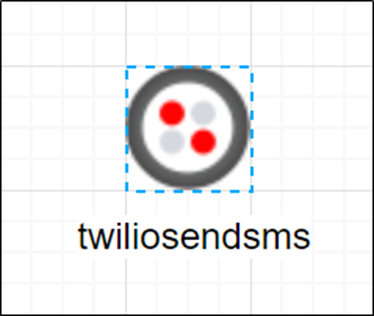
Once configured, you can use the Twilio step in the workflow designer. Open a workflow definition, then drag the “send SMS” step from the toolbox onto the designer canvas.
Click the step and configure its inputs/properties as shown below:
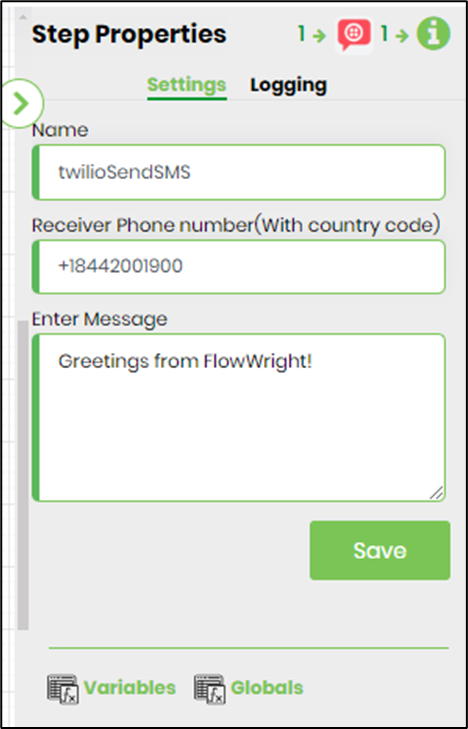
Enter the receiver's phone number and message, and the step is configured. It's really that simple. Imagine what you can build now that you can send SMS messages based on decisions evaluated by the workflow! The possibilities are endless.