FlowWright introduces an extremely useful feature: Inter-Process Communication (IPC). IPC provides a pathway for workflows to communicate with each other or even with themselves within the same workflow.
To start, let’s examine communication within the same workflow.
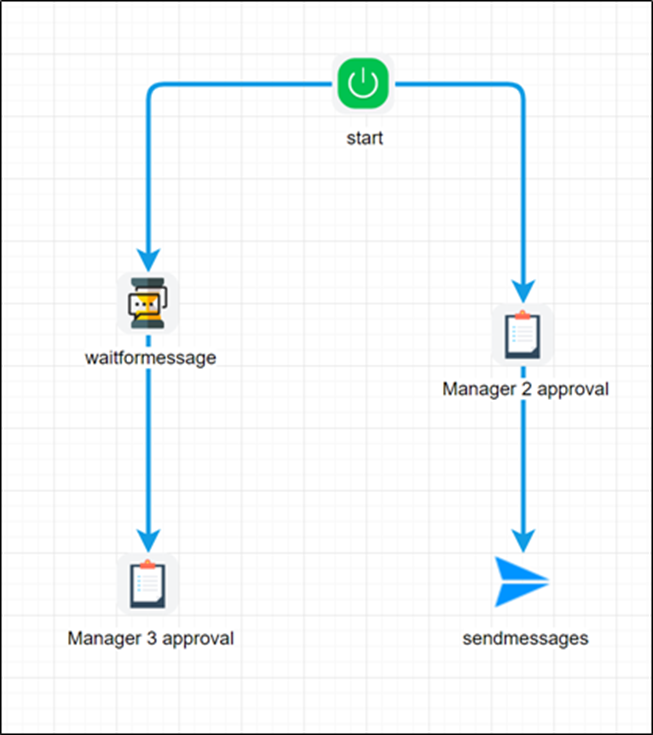
In the example workflow design above, 2 parallel branches emerge from the Start step. The left branch waits for the message “ACK”. The right branch leads to a task step, and once Manager #2 approves the task, the “send message” step will be executed. This final "send message” step is configured to send the message “ACK” within the current workflow. The configuration for the “send message” looks as follows:
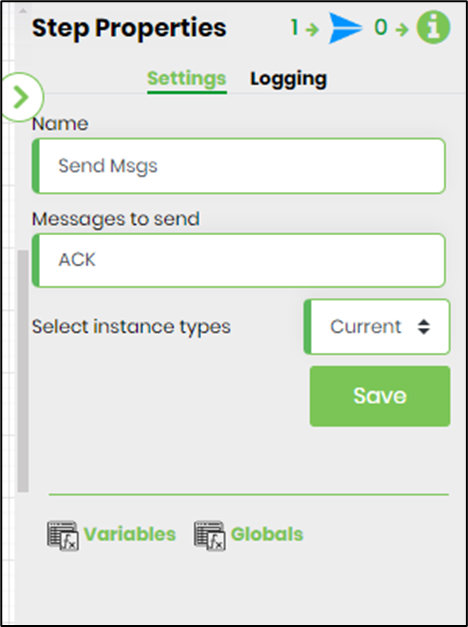
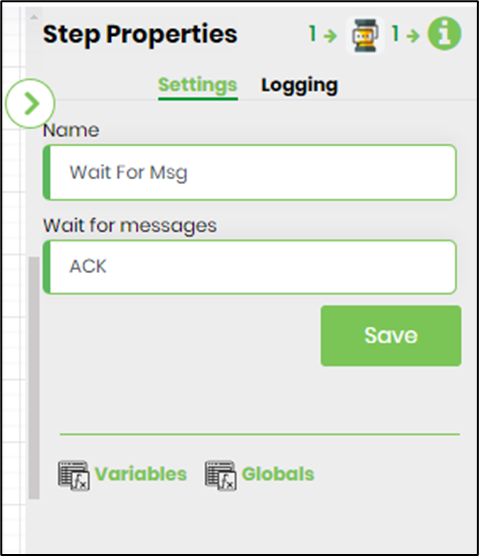
The configuration for the “wait for message” is as follows:
Let’s execute the workflow and see how it behaves. Below is the executed workflow:
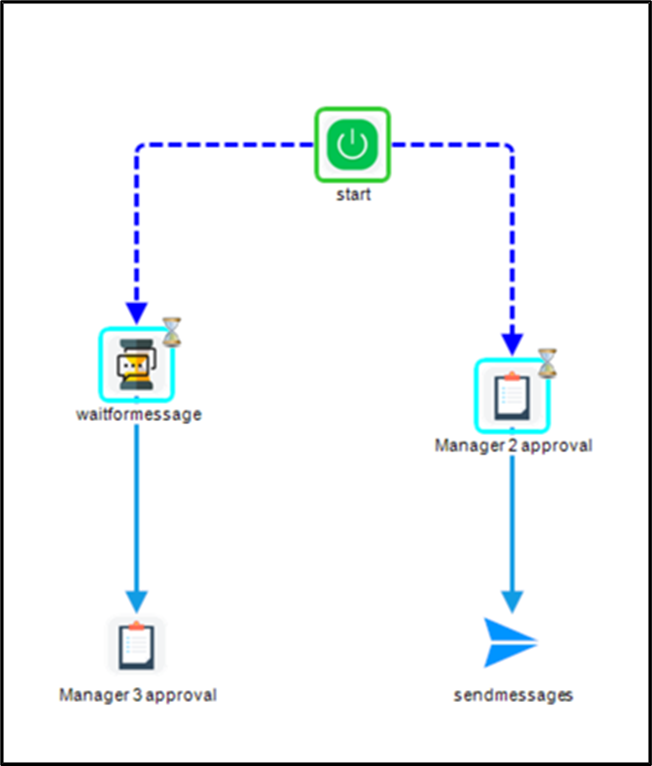
As you can see from the diagram above, the “wait for the message” step is waiting for a message, and the “Manager 2 approval” task step is waiting to be completed. As soon as the task is completed, the “send message” step sends the “ACK” message to the wait step, and the workflow continues processing. So, let’s complete the task:
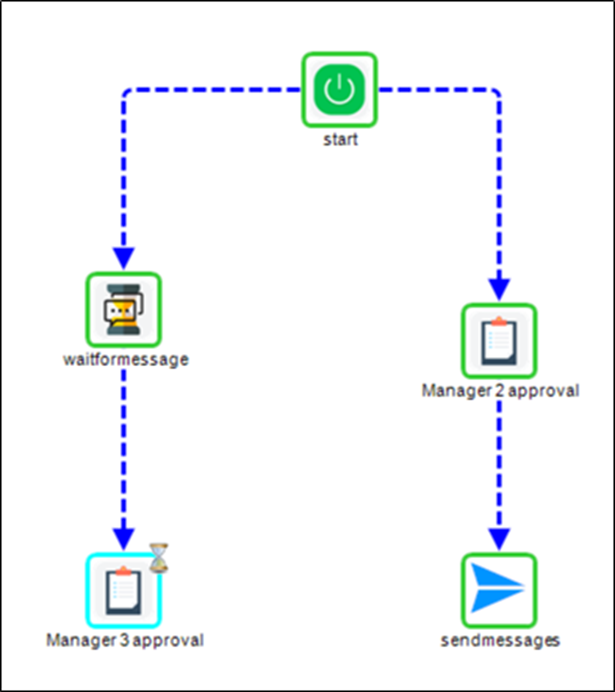
The message was sent and received by the waiting step, and the workflow advanced to the “Manager 3 approval” task step.
So why is IPC important?
Using wait steps, control flow within any workflow can be managed. In older versions of FlowWright, messages were relayed via our API calls. From now on, FlowWright enables you to send messages within or between workflows using a standard library step.
All workflows involve data and control flows, which were always managed through transitions between steps. However, with IPC infrastructure, workflows can communicate with themselves and with each other.